
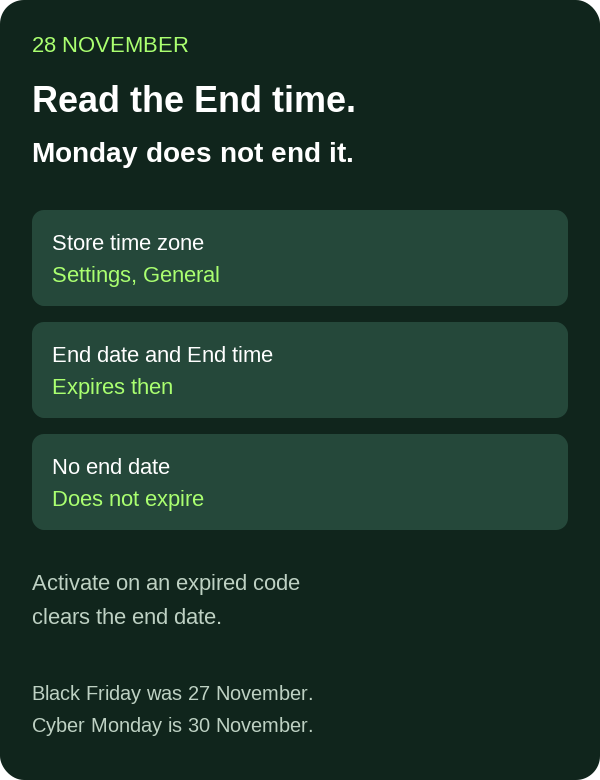
On 28 November, open the discount and read the End time. Shopify’s 2026 retail calendar lists Black Friday as 27 November, Small Business Saturday as 28 November and Cyber Monday as 30 November. A discount with no end date does not expire, so the Monday date on that calendar does not stop it. If you set an end, the discount expires on the End date at the End time you set, in the timezone displayed in the admin. This page is that check. The quantity a customer can still buy is on the quantity page. The payout, the fee, the refund and the stock file are on the file page.
This is for a founder-led brand on Shopify. Shopify says discounts are different from sale pricing with compare-at prices. A discount is a price reduction applied in the cart and at checkout, automatically or when the customer enters a code. The compare-at price on the product is a different control. The Shopify sales figure and the figure in Xero are compared on the revenue page. When the books are the mess, the clean-up is Unfck Your Books.
What do you read on 28 November?
| Read this | Where | What Shopify says it tells you |
|---|---|---|
| Store time zone | Settings, then General, then Store defaults, then the Time zone list | The zone selected in the admin. Discount start and end times use it |
| End date and End time | The discount, then Active dates | The discount expires then, in the timezone displayed in the admin |
| Whether an end date is set | Active dates, Set end date | No end date means the discount does not expire |
Which clock is the discount on?
For an amount off discount, the time it starts and ends depends on the time zone you select in the Shopify admin. Shopify’s example on that page uses Eastern Standard Time. If you select a start date of 26 November, the discount starts at 12:00 am EST on 26 November. A discount code with a start and end time uses the time zone selected in the admin. That page’s example is the same pair: a start date of 26 November starts at 12:00 a.m. EST. Buy X get Y uses the same example.
Set or change the store time zone from Settings, then General. In Store defaults, choose the zone from the Time zone list, then click Save. The timezone on your Shopify account is a different setting. Shopify says that one applies to your account. The store’s zone is Settings, then General, in the store’s admin.
An automatic free shipping discount asks you to set a Start date and a Start time. Read the time saved on that discount. The 12:00 am figure is Shopify’s amount off example. It is not a time to type onto a different discount.
Shopify’s published example is 26 November at 12:00 am Eastern Standard Time. Leave those figures on Shopify’s page. On 28 November, read the time zone and the times on the discount in front of you.
What does each Active dates setting do?
| What is saved | What Shopify says |
|---|---|
| No end date | The discount does not expire. On an amount off code, you leave the end date unset when you do not want the code to expire. Buy X get Y says the same: no end date means it does not expire. |
| The same calendar day for the start and the end | An amount off discount is valid for only one day. Free shipping says the same. Buy X get Y says the same. |
| An End date and an End time | The discount expires on that End date at that End time, in the timezone displayed in the admin |
| Activate, after the discount has expired | The status becomes Active, and the discount has no set end date |
Illustration. The times in the last three rows are made up. They are not a live shop, and they are not a Shopify default. The first row is Shopify’s published example.
| Saved on the discount | Reading on 28 November |
|---|---|
| Shopify’s example: Eastern Standard Time, start date 26 November | Starts at 12:00 am EST on 26 November |
| Illustration: End date 30 November, End time 18:00 | Expires at 18:00 on 30 November, in the timezone displayed in the admin, because 18:00 is the End time in this illustration |
| Illustration: no end date | Still available on 28 November. Shopify says it does not expire, so 30 November does not stop it either |
| Illustration: start and end are both 27 November | Valid for one day. 28 November is the next calendar day |
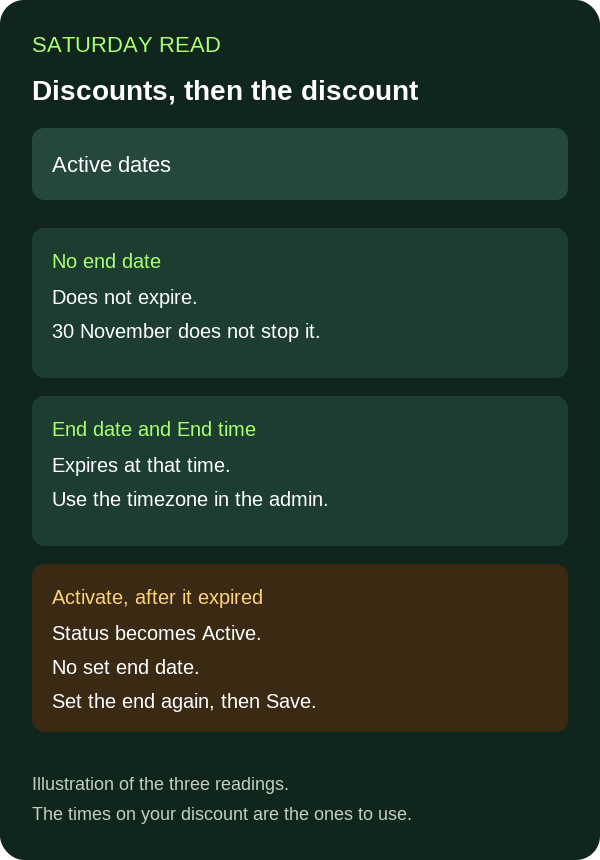
How do you change the end on Saturday?
From the Shopify admin, go to Discounts, click the discount, edit the settings, and click Save. You can edit the settings except the discount type. The type cannot be edited after the discount has been created. To put an end on a discount that has none, use Set end date in Active dates, set the End date and the End time, then Save.
To stop an unexpired discount now, deactivate it. Open Discounts, click the discount’s name, click Deactivate, then click Deactivate to confirm. A customer who applies that code gets the error Shopify states: Unable to find a valid discount matching the code entered. To stop several unexpired discounts together, check them, click Deactivate discounts, then confirm. Delete is the other control. Shopify says you can permanently delete a discount to remove it from the Discounts list. Deactivate is the temporary stop, and it applies to an unexpired discount.
Leave Activate alone on a discount that has already expired, unless you want the end date gone. Shopify says the status becomes Active and the discount has no set end date. Activating expired discounts in bulk does the same. If you do click it, open Active dates and set the end again before you Save.
The timeline on the discount shows the date and time it was created, when it was active or expired, and when an edit was saved. It does not describe the edit. After you Save a new End time, scroll back to Active dates and read the End time on the screen.
A discount in a rollout keeps its own active dates, and those dates continue to apply independently of the rollout. If the rollout is applied permanently, a discount that the rollout activates loses its end date. It keeps its start date unless that start date is in the future. A discount that the rollout deactivates is expired. The discount’s details page shows the rollout and the effective status. Read that page as well as Active dates.
Does the online store have its own end time?
Customers can redeem discount codes in the online store and in person if you use Shopify POS. You cannot restrict customers from redeeming discount codes on specific sales channels. The End time sits on the discount. It is not a separate online switch. A shareable link or a QR code works only for an active discount. A code that does not exist, or is not currently active, shows: Enter a valid discount code.
If a third-party app created the discount code, you cannot get a shareable link or QR code for it from the Shopify admin. Shopify says to check the app’s documentation, or contact the app developer, to promote that code. The Active dates steps above are the ones for a discount in the Shopify admin.
What do you check before you leave it until Monday?
- Open Settings, then General, then Store defaults and read the Time zone. Leave the timezone on your account profile out of this check.
- Go to Discounts. Status and Start date are filters on that list. The values on offer depend on the filter you pick. Open each amount off, Buy X get Y and free shipping discount that should still be on.
- Read Active dates. If Set end date is off, the discount does not expire. Set an end if 30 November should be the last day, then Save.
- If an end is set, read the End date and the End time. Shopify expires the discount at that End time, in the timezone displayed in the admin. An end date of 30 November is the end of the day only when the End time says so.
- If the start and the end are the same calendar day, the discount is valid for only one day. A 27 November pair is that one day.
- On an automatic free shipping discount, read the Start time as well as the Start date.
- To stop a discount that has not expired, use Deactivate. Skip Activate on one that has expired, unless you mean to clear the end date and then set it again.
- If the discount is in a rollout, read the rollout’s schedule and the effective status on the details page. Applying the rollout permanently can remove the end date.
- If a third-party app created the code, you cannot get a shareable link from the Shopify admin. Shopify says to check the app’s documentation, or contact the app developer.
- On 30 November, open the same discount and read the End time again before you treat the code as still inside its window.
A pass on 28 November is three things on the discount in front of you: the store time zone, an End date with an End time, or a deliberate choice to leave the end unset. Activate on an expired discount is a wipe of that end date. The quantity still for sale stays on the quantity page.
Frequently asked questions
Does a Shopify discount stop on its own on Cyber Monday?
Only if the End time says so. Shopify’s 2026 calendar lists Cyber Monday as 30 November. The discount expires on the End date at the End time you set, in the timezone displayed in the admin. With no end date, it does not expire.
Does an end date of 30 November mean the end of that day?
Read the End time. Shopify says the discount expires on the End date at the End time you set. Shopify’s amount off example is a start, at 12:00 am in the store’s time zone, and the example zone is Eastern Standard Time. That example does not set your End time.
What happens if I click Activate on Saturday?
If the discount has expired, the status becomes Active and the discount has no set end date. The same happens when you activate expired discounts in bulk. To turn off a discount that has not expired, use Deactivate.
Is a compare-at price the same switch?
No. Shopify says discounts are different from sale pricing with compare-at prices. This check is the discount under Discounts. A compare-at price on the product is the other control.
Will ending the code online leave it on at the till?
Customers can redeem discount codes in the online store and in person if you use Shopify POS. You cannot restrict a discount code to specific sales channels. The End time is on the discount.