
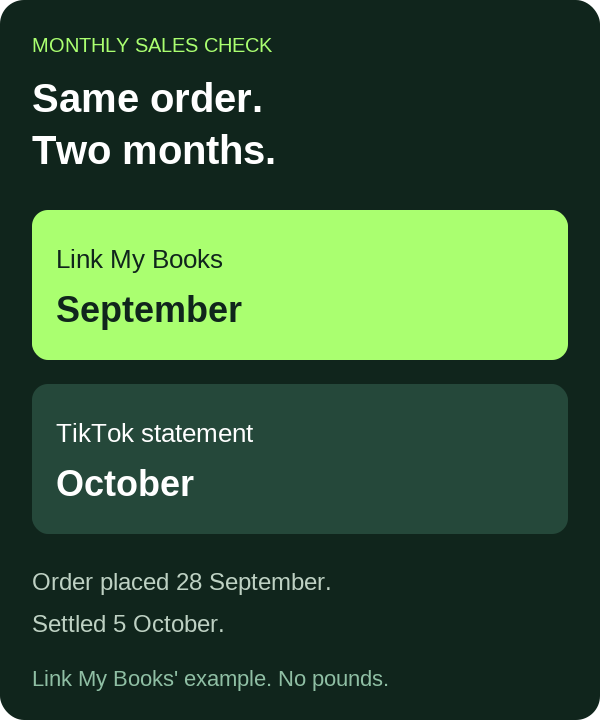
Because they date the same orders on different days, and the two sales headlines are different bundles. Link My Books groups a TikTok Shop order by the day the customer placed it. TikTok's statement uses settlement time, not order time, and TikTok says that is why the statement total will not match daily GMV. Link My Books describes the gap between its order-creation month and TikTok's settlement month. TikTok's guide says settlement time and the customer's payment time are different clocks, and that this is the single biggest reason the statement total will not match daily GMV. The line-by-line settlement file is the TikTok Shop settlement page. A sale counted twice between Shopify and Xero is the wholesale double-count page.
This is for a founder-led brand on TikTok Shop that uses Link My Books and sees two different monthly sales figures. When the books are the mess, the clean-up is Unfck Your Books. The ongoing accounts work is ecommerce accounting.
Which date does each monthly number use?
| Figure | The date it uses | Where that is written |
|---|---|---|
| Link My Books, the order | Order creation date. The day the customer placed the order | Link My Books |
| TikTok Shop statement | Settlement time. When the order finishes its payout cycle, not the order time | TikTok Shop UK statement guide |
| TikTok Shop daily GMV | The customer's payment time | TikTok Shop UK statement guide |
Link My Books says the order-level data is the same in both systems, and that the orders are assigned to different calendar months. An order created in September can sit on TikTok's October statement. That date split is a separate question from which file you match to the bank.
Where does one order land in Link My Books' example?
Link My Books' published example, not a live shop and not a payout timetable. Link My Books uses a customer order placed on 28 September that TikTok settles on 5 October. The dates below are the ones Link My Books states. This page adds no pounds to them.
| In Link My Books' example | What Link My Books says |
|---|---|
| Order placed | 28 September |
| TikTok settles it | 5 October |
| Month in Link My Books | September, the month the order was created |
| Month on TikTok's statement | October, the month it was settled |
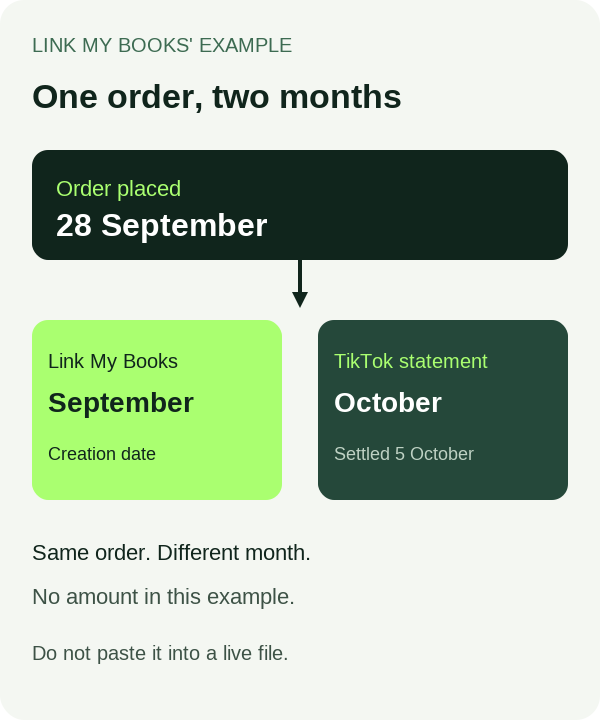
For busy shops, Link My Books says monthly totals can diverge by £10k–£50k+ per month, and that range is Link My Books' description, not a figure to enter for this shop. That range is Link My Books' description of how far monthly totals can diverge for busy shops. The 28 September example has no amount in it. Read the order in front of you.
Why doesn't the TikTok statement match daily GMV?
TikTok lists "My statement total doesn't equal my GMV" as something sellers misread. TikTok says GMV uses the customer's payment time and includes platform-funded discounts and payment-channel fees. The statement uses settlement time. TikTok says the gap is expected, not an error.
TikTok's settlement amount is Net Sales, minus Shipping, minus Fees, plus Adjustments. In that guide, Net Sales is what customers paid for the goods after a discount the seller chose to give. It includes the subtotal before that discount, the seller discount subtracted, and the paired reversals of those lines. It does not include shipping. Shipping is its own module. It does not include platform discounts or vouchers funded by TikTok Shop. TikTok says those sit in the order detail, because they are already netted into the customer's payment.
Does Link My Books' Sales figure use those same lines?
No. Link My Books says the Sales figure on its Analytics overview includes only gross product sales and seller discounts. Shipping, fees, commissions and refunds are separate figures in Link My Books. TikTok's Net Sales module, above, is TikTok's own bundle. The two labels can share the word sales and still be different figures. This page stops at what each product shows.
| Headline | What that product says is in it |
|---|---|
| Link My Books Sales | Gross product sales and seller discounts. Shipping, fees, commissions and refunds are separate figures |
| TikTok Net Sales module | Goods after the seller's own discount, including the paired reversals of those lines. Shipping is a separate module. Platform-funded discounts are in the order detail |
| TikTok settlement amount | Net Sales, minus Shipping, minus Fees, plus Adjustments, at settlement time |
What do you compare instead of the two monthly totals?
- In Link My Books, open Financial Analytics, then the P&L screen. Read Revenue, Shipping income, Expenses, and Refunds and adjustments. Link My Books says that when you add Revenue + Shipping income − Expenses − Refunds, you get a figure much closer to TikTok's Total Settlement Amount for matched orders.
- On the Settlements screen, filter to TikTok Shop. Posted means that settlement has been sent. Ready to Send or Processing has not.
- Compare one settlement with the TikTok payout it maps to. Link My Books says the settlement is the comparison, not the monthly total. The line-by-line file stays on the settlement page.
- On TikTok, leave daily GMV off this check. GMV uses payment time. The statement uses settlement time.
- If the Plans tab order count looks higher than the monthly statement, Link My Books counts each order once, by order creation date, when it first sees the order. Compare that count with TikTok's Order Center for the same dates, filtered by order creation date.
A pass is three names. Link My Books' order creation date, TikTok's settlement time, and TikTok's payment time for GMV. The monthly Sales total and the daily GMV screenshot are still to be read. They are not the settlement.
Frequently asked questions
Does a monthly gap mean Link My Books missed the orders?
Not from the date split alone. Link My Books says the same orders are in both systems, assigned to different months. An order placed on 28 September in Link My Books' example is on TikTok's October statement. Posted means Link My Books has sent that settlement. Check that status before you treat a month as incomplete.
Should I match Link My Books Sales to TikTok's Net Sales?
No. Link My Books Sales is gross product sales and seller discounts, with shipping, fees, commissions and refunds kept as separate figures. TikTok's Net Sales module is goods after the seller's discount, and shipping is a separate module on the statement. Use one settlement and its payout when you want the two products on the same orders.
Why is daily GMV a different number from the statement?
TikTok says GMV uses the customer's payment time and includes platform-funded discounts and payment-channel fees. The statement uses settlement time. TikTok says that gap is expected.
The Plans tab shows more orders than the monthly statement. Has Link My Books counted them twice?
No. Link My Books says an order is counted once, at creation, including orders TikTok has not settled yet. The monthly statement is the settled set. Link My Books says to sense-check the Plans tab against Order Center for the same dates, filtered by order creation date.