
As a specialist ecommerce accountant UK sellers rely on, the most common panicked question I get from new D2C founders is: "Where has all my money gone?"
You log into your dashboard, see a massive top-line sales figure, but the cash actually hitting your bank account is significantly lighter. If you do not understand how to track and account for this difference, your financial records will be a mess, your profit margins will be fiction, and HMRC will eventually come knocking.
In this guide, I will walk you through exactly how to handle your Shopify bookkeeping, ensure your tax records are bulletproof, and explain why your bank deposits never match your dashboard.
Why Your Shopify Payouts Never Match Your Total Sales
Shopify payouts represent your net cash, not your gross revenue. Before Shopify transfers your money, they automatically deduct payment gateway fees, refunds, chargebacks, and occasionally rolling reserves.
When you look at your Shopify analytics dashboard, you are looking at your gross sales. This is the total amount your customers paid. However, the cash that lands in your bank account is the net payout.
If you simply record those net bank deposits as your total revenue in accounting software like Xero, you are severely underreporting your sales and failing to account for your expenses.
You must account for the missing money. Every time you receive a settlement, you need to break it down into gross revenue, subtract the fees, account for any refunds, and match the final number to the cash received.
The Expert Way to Reconcile Shopify Settlements
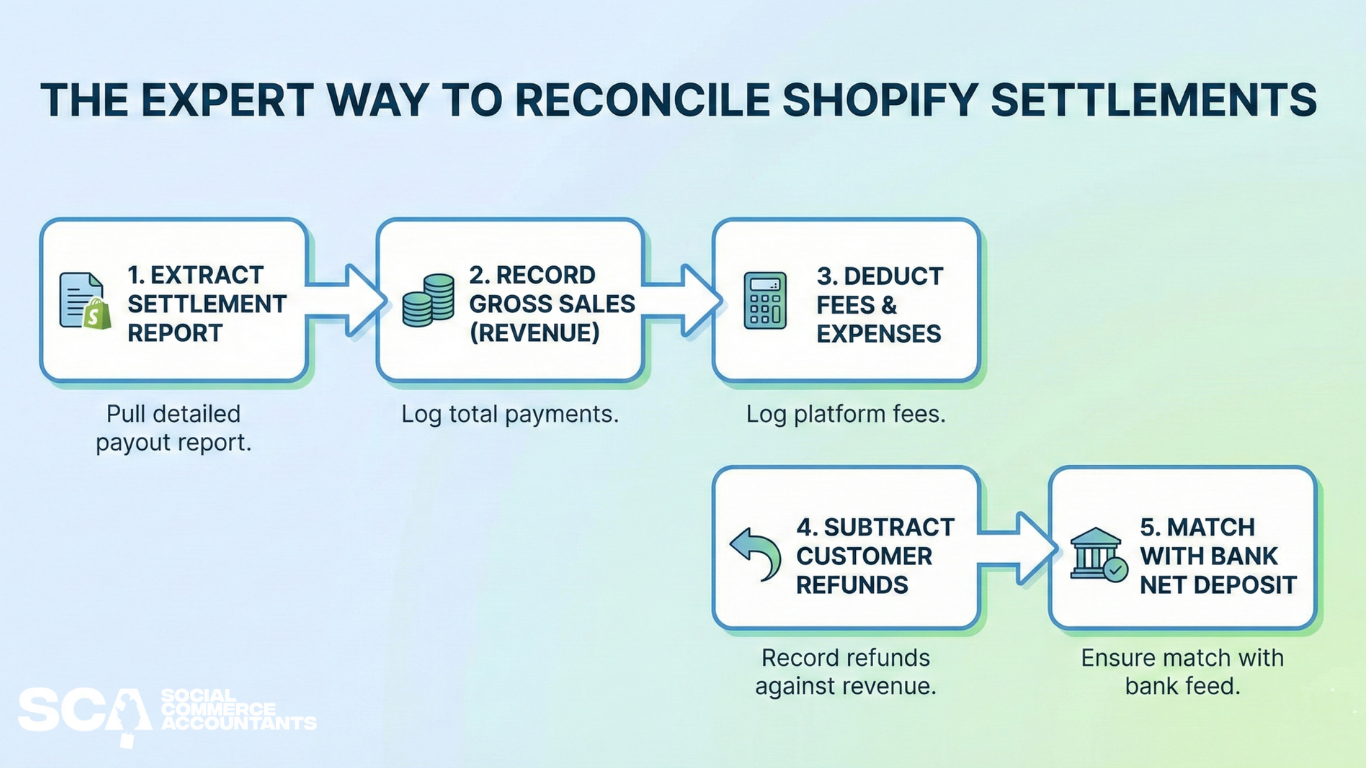
Effective Shopify reconciliation is the backbone of your ecommerce accounting. If you cannot reconcile Shopify payments accurately, you cannot trust your profit and loss statement.
To do this correctly, you must map the settlement data to your accounting software. Here is the standard procedure we use for our clients:
- Extract the Settlement Report: Pull the detailed payout report from Shopify for the specific period.
- Record Gross Sales: Log the total customer payments as your top-line revenue.
- Categorise Deductions: Log the platform fees and payment processing costs as separate expense lines.
- Account for Refunds: Record any customer refunds against your revenue.
- Match the Bank Feed: The gross sales minus the expenses and refunds should now perfectly match the net deposit on your bank feed.
By doing this, your revenue stays accurate, and you claim tax relief on the fees Shopify charged you.
Handling Shopify Payment Fees, Chargebacks, and FX Charges
When dealing with Shopify payment fees accounting, things can get complicated quickly. It is rarely just a flat percentage fee. You will encounter several variables that skew your numbers:
- Payment Processing Fees: The standard percentage plus fixed pence per transaction.
- Chargebacks: When a customer disputes a charge, Shopify immediately pulls the funds and a dispute fee from your balance.
- FX (Foreign Exchange) Charges: If you sell internationally but receive payouts in GBP, Shopify takes a hidden margin on the currency conversion.
If you do not split these out during reconciliation, your accounting software will simply view the missing cash as unearned revenue. As a dedicated Shopify accountant UK brands trust, I always advise isolating FX fees in particular, as these can severely eat into your margins without you realising.
Shopify, VAT, and HMRC: Recording Gross Sales Correctly
This is where D2C brands make their most expensive mistakes. If you take one thing away from this guide, let it be this: HMRC requires you to report and pay VAT on your gross sales, not your net payouts.
If you are a VAT-registered business, calculating your Shopify VAT return based solely on the cash that hits your bank account is a major compliance breach. HMRC expects to see the full amount the customer paid. The fees Shopify deducts are a separate business expense.
When you are reporting HMRC Shopify sales, you must also be acutely aware of your zero-rated and standard-rated products, especially if you sell a mix of adult clothing (standard-rated) and children's clothing or certain foods (zero-rated). Proper categorisation at the checkout level is vital so your reconciliation process pulls the correct VAT liability.
Should You Automate Bookkeeping or Hire a Shopify Accountant?
For standard Shopify stores, automation software like A2X or Dext Commerce is brilliant. These tools sit between Shopify and Xero, automatically pulling your settlement reports, splitting out the fees, and posting a neat journal entry that matches your bank feed perfectly.
However, modern ecommerce is rarely that simple. If you are a brand leveraging multi-channel sales—perhaps combining Shopify with Amazon FBA, or driving massive volume through TikTok Shop sellers—standard automation breaks down. As of right now, seamless integration software for online sellers and multi-tier channel structures does not really exist. It requires manual, expert intervention.
If you are doing low volume, you can manage this yourself. But once you scale to six or seven figures, the time spent untangling FX fees and channel payouts is time stolen from growing your brand. That is when you need to partner with an ecommerce accountant UK specialists run, who understands the specific mechanics of modern social commerce.