

If you sell on Amazon FBA, you already know the sinking feeling. You log into Seller Central, see a massive gross sales figure for the month, and then look at your bank account to find a deposit that is a fraction of that number.
Where did the rest of the money go?
As an ecommerce accountant UK based, I see founders panic over this every week. The gap between your total sales and your actual bank deposit is filled with Amazon fees, advertising spend, and VAT. If you simply categorise your Amazon deposit as "Sales" in Xero, your accounts are wrong, your margins are a mystery, and HMRC will eventually come knocking—especially with the strict 2026 tax updates now in play.
Here is the straightforward, expert guide to understanding your numbers, automating your bookkeeping, and keeping your Amazon FBA business compliant in 2026.
Why Your Amazon Bank Deposit Never Matches Your Total Sales
The most common mistake new Amazon sellers make is treating their bi-weekly bank deposit as their revenue.
An Amazon payout (or settlement) is the net cash Amazon transfers to your bank account after deducting all platform fees, advertising costs, refunds, and reserves from your gross sales.
When a customer buys your product, Amazon holds the cash. Before they transfer that cash to you, they take their cut directly at the source. This means your deposit is a net figure, not a gross figure. If you report the net deposit as your total revenue to HMRC, you are drastically under-reporting your sales, which throws your entire VAT return into chaos.
What This Means For You: You cannot rely on your bank feed to tell you how much revenue your business generated. To find your true revenue, you need the Amazon settlement report explained simply.
Decoding the Amazon Settlement Report: FBA Fees, PPC, and Account Reserves
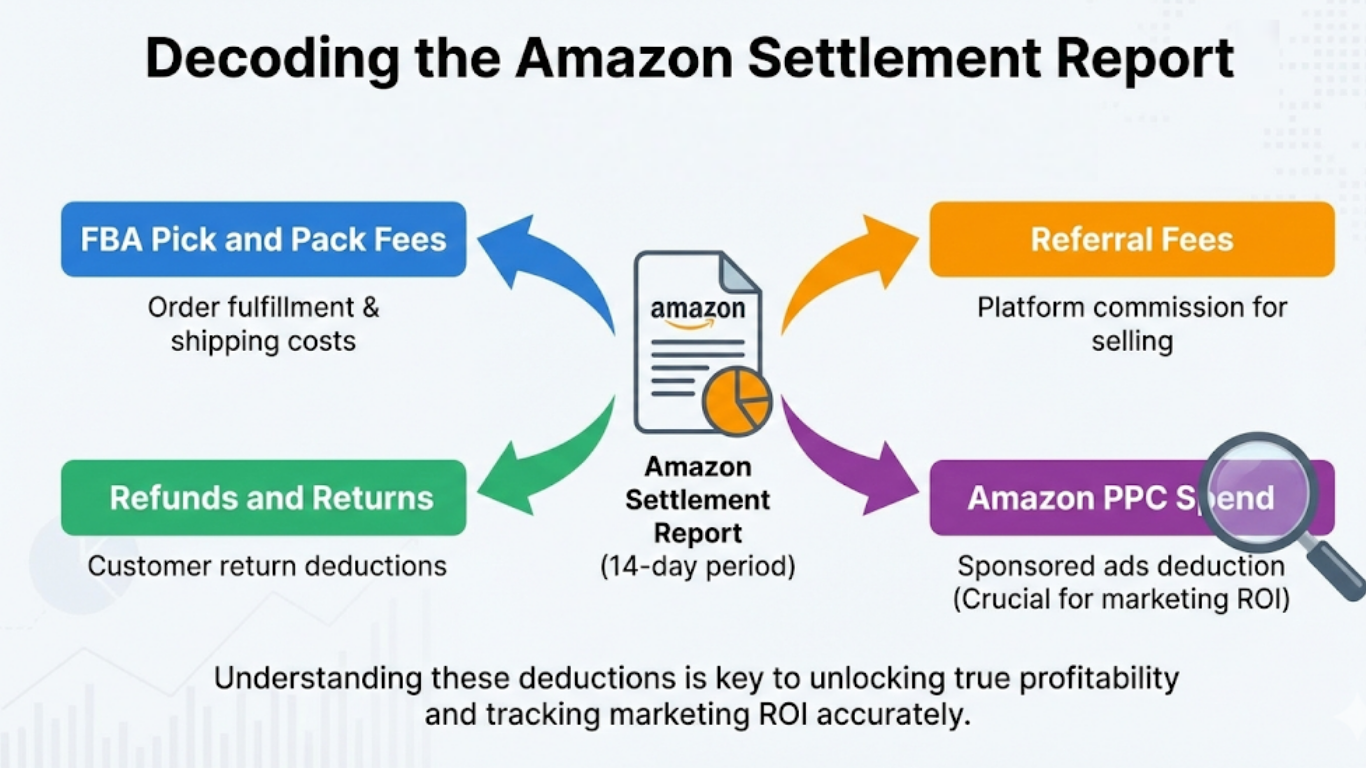
Having the Amazon settlement report explained is the key to unlocking your true profitability. This report breaks down exactly what happened to your money during the 14-day settlement period.
When we analyse an Amazon settlement report for a client, we look at several core deductions:
- FBA Pick and Pack Fees: The cost of Amazon fulfilling your orders.
- Referral Fees: Amazon's commission for letting you sell on their platform.
- Refunds and Returns: Money pulled back from your account to cover customer returns.
- Amazon PPC Spend: If you run sponsored ads, Amazon often deducts this spend directly from your sales balance rather than charging your credit card. Knowing how to record Amazon PPC spend separately from your fees is crucial for tracking your true marketing ROI.
The Amazon Account Level Reserve
One line item that constantly causes confusion is the Amazon account level reserve.
The account level reserve is money Amazon holds back from your payout to ensure you have enough funds to cover potential chargebacks, returns, or A-to-Z Guarantee claims. This money still belongs to you; it is just sitting in an Amazon holding account. In your Amazon payout bookkeeping, this must be tracked as an asset (money owed to you) rather than an expense.
The Expert Way to Reconcile Bi-Weekly Amazon Payouts
Amazon bi-weekly settlement reconciliation is where standard accounting methods fall apart. Because a single settlement period often crosses over two different months (for example, starting on 25th October and ending on 8th November), you cannot simply log the payout on the day it hits your bank.
If you do, your monthly profit and loss statements will be entirely inaccurate.
The Clearing Account Method
To accurately reconcile Amazon payouts, an expert ecommerce accountant uses a clearing account approach:
- Gross Up: We record the total gross sales as revenue.
- Deduct Expenses: We record the specific FBA fees, PPC spend, and refunds as separate expenses.
- Balance the Clearing: The net result of the gross sales minus these expenses equals the exact amount deposited into your bank.
- Match the Deposit: In Xero, the bank deposit is then matched against the clearing account balance, bringing it to zero.
This same logic applies if you sell on multiple sales channels. We use the exact same clearing account method for Shopify reconciliation, ensuring your bookkeeping remains just as airtight as your Amazon accounts.
Amazon FBA, UK VAT, and HMRC: Avoiding the Gross vs. Net Trap
When it comes to HMRC Amazon sales reporting, precision is not optional. If there is one area where sellers face severe penalties, it is Amazon FBA UK VAT accounting.
First, you must monitor your gross turnover. The current UK VAT registration threshold sits at £90,000. If your rolling 12-month gross sales cross this line, you must register. Remember, HMRC looks at your gross sales, not your net bank deposits.
The 20% VAT Trap on Amazon Fees
A massive bookkeeping shift occurred recently regarding how Amazon bills its UK sellers. Previously, UK sellers relied on the reverse-charge mechanism for Amazon's fees. That is no longer the case.
Because Amazon now operates a UK branch for billing, they charge 20% UK VAT on your FBA and referral fees for domestic GB-to-GB orders. If your accounting for Amazon VAT UK is out of date and you are still trying to reverse-charge these fees, or worse, if you fail to strip this 20% out and log it as reclaimable input VAT, you are overpaying your taxes every quarter.
Getting your Amazon gross vs net sales VAT right is the difference between a healthy margin and a cash-flow crisis. This is just as critical when handling your Shopify VAT return and payment fees accounting.
Automating Your FBA Accounting: Link My Books, A2X, or an Expert?
Doing this manually by downloading CSV files from Seller Central is a fast track to burnout and HMRC penalties.
Under the Making Tax Digital (MTD) for Income Tax rules kicking in from April 2026, sole traders with a gross income over £50,000 must submit quarterly digital updates to HMRC. You can no longer hand a spreadsheet to your accountant once a year. You need to automate your Amazon FBA accounting and prepare for the April tax shift now.
For standardising your financial data, we rely on middleware. The two main players are Link My Books and A2X.
Link My Books vs A2X: Both tools sit between your ecommerce platforms and Xero. They take the complex settlement reports, factor in the 20% VAT on Amazon fees, and automatically generate a single, neatly categorised journal entry that matches your bank deposit exactly.
Why You Still Need an Accountant: Amazon bookkeeping software organises the data, but it does not file your quarterly MTD returns, optimise your tax strategy, or advise on incorporation. While software integration for standard ecommerce platforms is excellent, you still need a specialist Amazon FBA accountant to interpret the data and keep you compliant.