

As a specialist ecommerce accountant UK, the most common frustration I hear from D2C brands and TikTok sellers involves Stripe bank reconciliation. You make a sale, but the money that actually lands in your bank account is a completely different figure.
If you are a modern online seller, guessing your numbers is not an option. You need precise ecommerce bookkeeping best practices to ensure you are not overpaying tax, miscalculating your margins, or triggering an HMRC enquiry.
Stripe payouts rarely match your daily sales because Stripe deducts processing fees, refunds, and rolling reserves before depositing the money. To keep your books compliant, you must record your gross sales separately from these deductions using a clearing account in Xero or QuickBooks.
Here is the expert guide to tracking, reconciling, and automating your Stripe accounting.
Why Your Stripe Bank Deposits Never Match Your Gross Revenue
The fundamental rule of ecommerce accounting for Stripe fees is understanding the difference between a transaction and a settlement.
Clear Definition
- Gross Revenue: The total amount your customer paid at checkout.
- Net Settlement: The final amount Stripe transfers to your business bank account.
When a customer pays £100 through your Shopify store, Stripe does not send you £100. They take their processing fee, hold back any necessary reserves, process any pending refunds, and send you the remainder.
What this means for you: If you simply look at the £97.50 deposit in your bank feed and categorise it as "Sales", you are breaking HMRC rules. You are underreporting your gross revenue (which impacts your VAT registration threshold) and you are failing to claim the £2.50 fee as a deductible business expense.
Decoding Stripe Processing Fees, Chargebacks, and Rolling Payouts
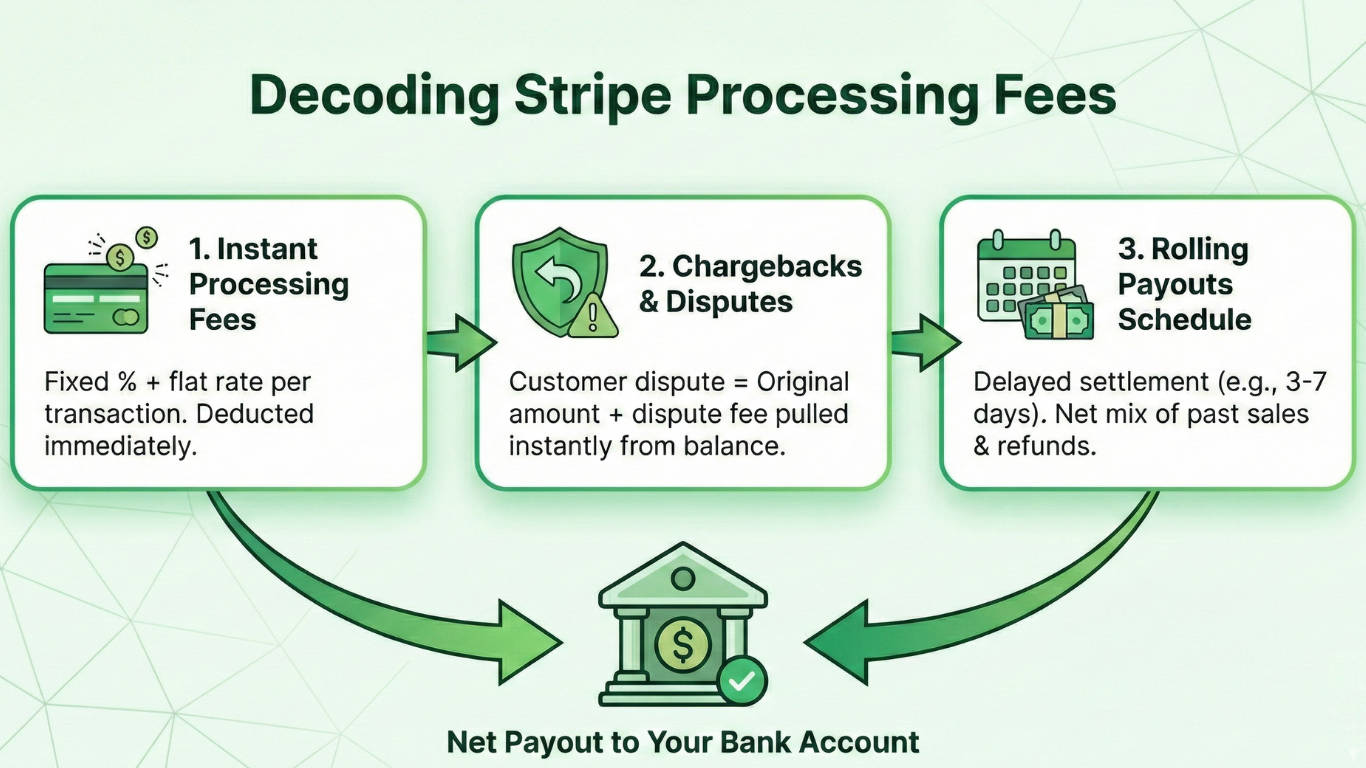
To properly manage your bookkeeping, you need to understand exactly what Stripe is deducting before the payout reaches your bank.
- Processing Fees: Stripe charges a fixed percentage plus a flat rate per transaction. These fees are deducted instantly.
- Chargebacks and Disputes: If a customer disputes a payment, Stripe immediately pulls the original transaction amount plus a dispute fee from your balance.
- Rolling Payouts: Stripe operates on a payout schedule (usually 3 to 7 days in the UK). A settlement you receive on a Friday might include sales from Tuesday, minus refunds from Wednesday.
When dealing with high-volume D2C sales or Shopify payouts, these overlapping timelines create a massive reconciliation headache if you try to match them manually.
The Expert Way to Reconcile Stripe Settlements in Xero and QuickBooks
The biggest mistake new brands make is trying to reconcile Stripe payments directly from their main bank feed. This leads to endless Stripe Xero feed issues and mismatched data.
The professional method is to use a clearing account (often called a suspense account or clearing bank).
The Step-by-Step Workflow:
- Map the Gross Sales: Record the full £100 sale in your clearing account as revenue.
- Record the Fees: Record the £2.50 Stripe fee as an expense out of the clearing account.
- Match the Payout: When the £97.50 net settlement hits your actual current account, you transfer that amount from the clearing account.
- Zero the Balance: If done correctly, the clearing account balance will perfectly match your pending Stripe balance at the end of the month.
Matching Stripe payouts in QuickBooks or Xero this way ensures your profit and loss statement shows the true gross revenue and the exact cost of merchant fees.
Stripe, UK VAT, and HMRC: Avoiding Common Compliance Traps
Getting your Stripe data wrong has serious tax implications. As of April 2024, the UK VAT registration threshold is £90,000. HMRC calculates this threshold based on your gross sales, not your net deposits.
If you are consistently recording your net Stripe payouts as your turnover, you might cross the £90,000 threshold without realising it, leading to hefty penalties.
Stripe Fees and VAT: A common question we get is how to treat VAT on Stripe fees. Stripe provides financial services, and their standard payment processing fees are generally treated as exempt from UK VAT, or fall under the reverse charge mechanism if billed from their Irish entity. You must ensure your software applies the correct tax code (usually 'No VAT' or 'Reverse Charge Expenses') so you do not accidentally claim back VAT that does not exist. Always consult HMRC's official VAT guidance to stay updated on digital service rules.
Automating Your Stripe Accounting: Software Integrations vs. Expert Help
Manual data entry is impossible for a scaling ecommerce brand. To solve Stripe to Xero automation, most traditional product-based businesses use middleware like A2X or Link My Books. These tools fetch the data from Stripe, organise it into gross sales, fees, and taxes, and push a neat summary journal into Xero.
However, automation software is only as good as the initial setup. If your product mappings are wrong, or you are running complex multi-channel sales across Shopify, TikTok Shop, and Amazon FBA, these tools can still push bad data into your ledger. Off-the-shelf software requires careful calibration to ensure VAT rules are applied accurately to different jurisdictions and product types.
For these complex setups, bespoke workflows and expert accountant intervention are non-negotiable.